SAP Function Modules


BAPIEMPCAPFODESIMULATECREATION SAP Function module - Simulation: Create Capital Formation Savings
BAPIEMPCAPFODESIMULATECREATION is a standard SAP function module available within R/3 SAP systems depending on your version and release level. Below is the pattern details for this FM showing its interface including any import and export parameters, exceptions etc as well as any documentation contributions (Comments) specific to the object.
See here to view full function module documentation and code listing, simply by entering the name BAPIEMPCAPFODESIMULATECREATION into the relevant SAP transaction such as SE37 or SE80.
Associated Function Group:
PACF_DE
Released Date:
Not Released
Processing type: Remote-Enabled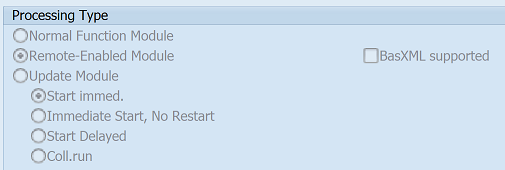
Pattern for FM BAPIEMPCAPFODESIMULATECREATION - BAPIEMPCAPFODESIMULATECREATION
CALL FUNCTION 'BAPIEMPCAPFODESIMULATECREATION' "Simulation: Create Capital Formation Savings
  EXPORTING
    employeenumber =            " bapip0010-pernr  Personnel Number
    validitybegin =             " bapip0010-begda  Valid from Date
    validityend =               " bapip0010-endda  Valid to Date
    contractnumber =            " bapip0010-subty  Subtype
    wagetype =                  " bapip0010-lgart  Wage Type
    operationindicator =        " bapip0010-opken  Operation Indicator for Wage Types
    amount =                    " bapip0010-betrg  Amount for Capital Formation
    specialrule =               " bapip0010-sonre  Special Rule for Capital Formation
    firstpaymentdate =          " bapip0010-zdate  First Payment Date
    firstpaymentperiod =        " bapip0010-zfper  First Payment Period
    intervalunit =              " bapip0010-zanzl  Number for Determining Further Payment Dates
    nextpayment =               " bapip0010-zeinz  Time Unit for Determining Next Payment
    numbercontribution =        " bapip0010-anzhl  Number of ER Contributions
    payeekey =                  " bapip0010-emfsl  Payee Key for Bank Transfers
    payee =                     " bapip0010-emftx  Payee Text
    zipcode =                   " bapip0010-bkplz  Postal Code
    city =                      " bapip0010-bkort  Location
    bankcountry =               " bapip0010-banks  Country Key of Bank
    banknumber =                " bapip0010-bankl  Bank Number
    bankaccountnumber =         " bapip0010-bankn  Bank Account Number
    purpose =                   " bapip0010-zweck  Purpose of Bank Transfers
    transferindicator =         " bapip0010-uwken  Transfer Indicator
    paymentpriority =           " bapip0010-prity  Payment Priority
    assettype =                 " bapip0010-vbafm  Type of Investment/Asset for Capital Formation
    emplcontribution =          " bapip0010-vbaga  Employer's Contribution to Savings Plan
    investconfirmation =        " bapip0010-vbabs  Investment Confirmation
    indtaxconfirm =             " bapip0010-stbkn  Indicator: Tax Confirmation
    processingtype =            " bapip0010-wzkz1  Processing Type of Capital Formation Record
    indcontinuedpaym =          " bapip0010-wzkz2  Indicator: Continued Payment w/o Payment Amount
    currency =                  " bapip0010-waers  Currency of Savings Deposit
    paymentmethod =             " bapip0010-zlsch  Payment Method
*   no_commit =                 " bapi_stand-no_commit  COMMIT Control at BAPI Interface
  IMPORTING
    return =                    " bapireturn1   Return Parameter
    remployeenumber =           " bapip0010-pernr  Personnel Number
    rsubtype =                  " bapip0010-subty  Subtype
    robjectid =                 " bapip0010-objps  Object Identification
    rlockindicator =            " bapip0010-sprps  Lock Indicator for HR Master Data Record
    rvaliditybegin =            " bapip0010-begda  Valid from Date
    rvalidityend =              " bapip0010-endda  Valid to Date
    recordnumber =              " bapip0010-seqnr  Number of Infotype Record with Same Key
    .  "  BAPIEMPCAPFODESIMULATECREATION
ABAP code example for Function Module BAPIEMPCAPFODESIMULATECREATION
The ABAP code below is a full code listing to execute function module BAPIEMPCAPFODESIMULATECREATION including all data declarations. The code uses the latest in-line data DECLARATION SYNTAX but I have included an ABAP code snippet at the end to show how declarations would look using the original method of declaring data variables up front. This will allow you to compare and fully understand the new inline method. Please note some of the newer syntax such as the @DATA is not available until a later 4.70 service pack (SP8).
| ld_return | TYPE BAPIRETURN1 , |
| ld_remployeenumber | TYPE BAPIP0010-PERNR , |
| ld_rsubtype | TYPE BAPIP0010-SUBTY , |
| ld_robjectid | TYPE BAPIP0010-OBJPS , |
| ld_rlockindicator | TYPE BAPIP0010-SPRPS , |
| ld_rvaliditybegin | TYPE BAPIP0010-BEGDA , |
| ld_rvalidityend | TYPE BAPIP0010-ENDDA , |
| ld_recordnumber | TYPE BAPIP0010-SEQNR . |
DATA(ld_employeenumber) = Check type of data required
DATA(ld_validitybegin) = 20210129
DATA(ld_validityend) = 20210129
DATA(ld_contractnumber) = some text here
DATA(ld_wagetype) = some text here
DATA(ld_operationindicator) = some text here
DATA(ld_amount) = 20.50
DATA(ld_specialrule) = some text here
DATA(ld_firstpaymentdate) = 20210129
DATA(ld_firstpaymentperiod) = Check type of data required
DATA(ld_intervalunit) = Check type of data required
DATA(ld_nextpayment) = some text here
DATA(ld_numbercontribution) = Check type of data required
DATA(ld_payeekey) = some text here
DATA(ld_payee) = some text here
DATA(ld_zipcode) = some text here
DATA(ld_city) = some text here
DATA(ld_bankcountry) = some text here
DATA(ld_banknumber) = some text here
DATA(ld_bankaccountnumber) = some text here
DATA(ld_purpose) = some text here
DATA(ld_transferindicator) = some text here
DATA(ld_paymentpriority) = some text here
DATA(ld_assettype) = some text here
DATA(ld_emplcontribution) = some text here
DATA(ld_investconfirmation) = some text here
DATA(ld_indtaxconfirm) = some text here
DATA(ld_processingtype) = some text here
DATA(ld_indcontinuedpaym) = some text here
DATA(ld_currency) = Check type of data required
DATA(ld_paymentmethod) = some text here
DATA(ld_no_commit) = some text here . CALL FUNCTION 'BAPIEMPCAPFODESIMULATECREATION' EXPORTING employeenumber = ld_employeenumber validitybegin = ld_validitybegin validityend = ld_validityend contractnumber = ld_contractnumber wagetype = ld_wagetype operationindicator = ld_operationindicator amount = ld_amount specialrule = ld_specialrule firstpaymentdate = ld_firstpaymentdate firstpaymentperiod = ld_firstpaymentperiod intervalunit = ld_intervalunit nextpayment = ld_nextpayment numbercontribution = ld_numbercontribution payeekey = ld_payeekey payee = ld_payee zipcode = ld_zipcode city = ld_city bankcountry = ld_bankcountry banknumber = ld_banknumber bankaccountnumber = ld_bankaccountnumber purpose = ld_purpose transferindicator = ld_transferindicator paymentpriority = ld_paymentpriority assettype = ld_assettype emplcontribution = ld_emplcontribution investconfirmation = ld_investconfirmation indtaxconfirm = ld_indtaxconfirm processingtype = ld_processingtype indcontinuedpaym = ld_indcontinuedpaym currency = ld_currency paymentmethod = ld_paymentmethod * no_commit = ld_no_commit IMPORTING return = ld_return remployeenumber = ld_remployeenumber rsubtype = ld_rsubtype robjectid = ld_robjectid rlockindicator = ld_rlockindicator rvaliditybegin = ld_rvaliditybegin rvalidityend = ld_rvalidityend recordnumber = ld_recordnumber . " BAPIEMPCAPFODESIMULATECREATION
IF SY-SUBRC EQ 0. "All OK ENDIF.
ABAP code to compare 7.40 inline data declaration with original syntax
The below ABAP code uses the older none in-line data declarations. This allows you to see the coding differences/benefits of the later inline syntax. It may also be useful if you are using an older version of SAP as some of the newer syntax above, such as the @DATA is not available until 4.70 EHP 8.
DATA:
| ld_return | TYPE BAPIRETURN1 , |
| ld_employeenumber | TYPE BAPIP0010-PERNR , |
| ld_remployeenumber | TYPE BAPIP0010-PERNR , |
| ld_validitybegin | TYPE BAPIP0010-BEGDA , |
| ld_rsubtype | TYPE BAPIP0010-SUBTY , |
| ld_validityend | TYPE BAPIP0010-ENDDA , |
| ld_robjectid | TYPE BAPIP0010-OBJPS , |
| ld_contractnumber | TYPE BAPIP0010-SUBTY , |
| ld_rlockindicator | TYPE BAPIP0010-SPRPS , |
| ld_wagetype | TYPE BAPIP0010-LGART , |
| ld_rvaliditybegin | TYPE BAPIP0010-BEGDA , |
| ld_operationindicator | TYPE BAPIP0010-OPKEN , |
| ld_rvalidityend | TYPE BAPIP0010-ENDDA , |
| ld_amount | TYPE BAPIP0010-BETRG , |
| ld_recordnumber | TYPE BAPIP0010-SEQNR , |
| ld_specialrule | TYPE BAPIP0010-SONRE , |
| ld_firstpaymentdate | TYPE BAPIP0010-ZDATE , |
| ld_firstpaymentperiod | TYPE BAPIP0010-ZFPER , |
| ld_intervalunit | TYPE BAPIP0010-ZANZL , |
| ld_nextpayment | TYPE BAPIP0010-ZEINZ , |
| ld_numbercontribution | TYPE BAPIP0010-ANZHL , |
| ld_payeekey | TYPE BAPIP0010-EMFSL , |
| ld_payee | TYPE BAPIP0010-EMFTX , |
| ld_zipcode | TYPE BAPIP0010-BKPLZ , |
| ld_city | TYPE BAPIP0010-BKORT , |
| ld_bankcountry | TYPE BAPIP0010-BANKS , |
| ld_banknumber | TYPE BAPIP0010-BANKL , |
| ld_bankaccountnumber | TYPE BAPIP0010-BANKN , |
| ld_purpose | TYPE BAPIP0010-ZWECK , |
| ld_transferindicator | TYPE BAPIP0010-UWKEN , |
| ld_paymentpriority | TYPE BAPIP0010-PRITY , |
| ld_assettype | TYPE BAPIP0010-VBAFM , |
| ld_emplcontribution | TYPE BAPIP0010-VBAGA , |
| ld_investconfirmation | TYPE BAPIP0010-VBABS , |
| ld_indtaxconfirm | TYPE BAPIP0010-STBKN , |
| ld_processingtype | TYPE BAPIP0010-WZKZ1 , |
| ld_indcontinuedpaym | TYPE BAPIP0010-WZKZ2 , |
| ld_currency | TYPE BAPIP0010-WAERS , |
| ld_paymentmethod | TYPE BAPIP0010-ZLSCH , |
| ld_no_commit | TYPE BAPI_STAND-NO_COMMIT . |
ld_employeenumber = Check type of data required
ld_validitybegin = 20210129
ld_validityend = 20210129
ld_contractnumber = some text here
ld_wagetype = some text here
ld_operationindicator = some text here
ld_amount = 20.50
ld_specialrule = some text here
ld_firstpaymentdate = 20210129
ld_firstpaymentperiod = Check type of data required
ld_intervalunit = Check type of data required
ld_nextpayment = some text here
ld_numbercontribution = Check type of data required
ld_payeekey = some text here
ld_payee = some text here
ld_zipcode = some text here
ld_city = some text here
ld_bankcountry = some text here
ld_banknumber = some text here
ld_bankaccountnumber = some text here
ld_purpose = some text here
ld_transferindicator = some text here
ld_paymentpriority = some text here
ld_assettype = some text here
ld_emplcontribution = some text here
ld_investconfirmation = some text here
ld_indtaxconfirm = some text here
ld_processingtype = some text here
ld_indcontinuedpaym = some text here
ld_currency = Check type of data required
ld_paymentmethod = some text here
ld_no_commit = some text here
SAP Documentation for FM BAPIEMPCAPFODESIMULATECREATION
Use this method to simulate the creation of a data record for the
Capital Formation infotype (0010).
...See here for full SAP fm documentation
Contribute (Add Comments)
Please help keep this info upto date and use the comments section below to add useful hints, tips and information specific to this SAP function. This will then be available for you and other users to easily find by simply searching on the object name BAPIEMPCAPFODESIMULATECREATION or its description.
BAPIEMPCAPFODESIMULATECREATION - Simulation: Create Capital Formation Savings BAPIBUSISM007_SAVEPROXIES - IS-M: BAPI Trigger Business Partner Export BAPIBUSISM007_GETLIST - IS-M: BAPI Select Business Partners BAPIBUSISM007_GETDUPLICATES - IS-M: BAPI Determine Business Partner Duplicates BAPIBUSISM007_GETDETAIL - IS-M: BAPI Read Business Partner BAPIBUSISM007_CREATEFROMDATA - IS-M: BAPI Create Business Partner