
- You are here:
- Home »
- SAP Development »
- Create dynamic ABAP Web dynpro screen in SAP
Create dynamic ABAP Web dynpro screen in SAP
Advertisements
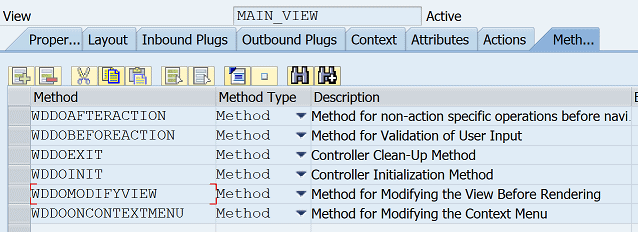
In order to Create dynamic ABAP Web Dynpro screen within your SAP application, first simply create a new Web dynpo application. Then add the below ABAP code into the WDDOMODIFYVIEW method of your main view.
Advertisements
method WDDOMODIFYVIEW .
  data : lr_textview type ref to cl_wd_text_view.
  Data: lr_uicontainer type ref to cl_wd_uielement_container,
        lr_rowhead type ref to cl_wd_row_head_data,
        lr_button type ref to cl_wd_button,
        lr_inputfield type ref to cl_wd_input_field,
        lr_flowdata type ref to cl_wd_flow_data,
        ld_childid type string.

*if first_time = 'X'. "Uncomment when parameter created in method
  lr_button = cl_wd_button=>new_button( view = view
  text = 'My Button'
  on_action = 'PRESSBUTTON' ).

  lr_rowhead = cl_wd_row_head_data=>new_row_head_data( element = lr_button ).
  lr_button->set_layout_data( lr_rowhead ).
  lr_button->set_tooltip( value = 'Tooltip' ).
  lr_flowdata = cl_wd_flow_data=>new_flow_data( element = lr_button ).
  lr_uicontainer ?= view->get_element( 'ROOTUIELEMENTCONTAINER' ).
  lr_uicontainer->add_child( lr_button ).
  lr_textview = cl_wd_text_view=>new_text_view( view = view
  text = 'Create Dynamic UI Elements' ).
  lr_rowhead = cl_wd_row_head_data=>new_row_head_data( element = lr_textview ).
  lr_textview->set_layout_data( lr_rowhead ).
  lr_flowdata = cl_wd_flow_data=>new_flow_data( element = lr_textview ).
  lr_uicontainer ?= view->get_element( 'ROOTUIELEMENTCONTAINER' ).
  lr_uicontainer->add_child( lr_textview ).
*endif.
endmethod.
Advertisements
