SAP Function Modules


FTR_PARTNER_GET SAP Function module - Read Business Partner (Org. Data, Addresses, and so on, ON REQUEST)
FTR_PARTNER_GET is a standard SAP function module available within R/3 SAP systems depending on your version and release level. Below is the pattern details for this FM showing its interface including any import and export parameters, exceptions etc as well as any documentation contributions (Comments) specific to the object.
See here to view full function module documentation and code listing, simply by entering the name FTR_PARTNER_GET into the relevant SAP transaction such as SE37 or SE80.
Associated Function Group:
FTR_REUSE_PARTNER
Released Date:
Not Released
Processing type: Normal fucntion module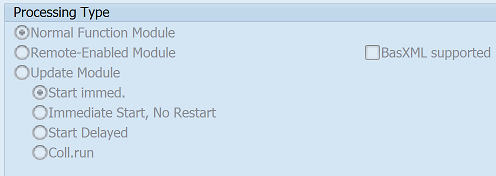
Pattern for FM FTR_PARTNER_GET - FTR PARTNER GET
CALL FUNCTION 'FTR_PARTNER_GET' "Read Business Partner (Org. Data, Addresses, and so on, ON REQUEST)
  EXPORTING
    pi_partner_id =             " bu_partner    Partner
*   pi_partner_role = 'TR0151'  " c             Rolle (bzw. Rollentyp)
*   pi_companycode = SPACE      " bukrs         Buchungskreis (MUSS-Feld für Authority, sonst KANN)
*   pi_producttype = SPACE      " vvsart        Produktart (MUSS-Feld für Authority!!!)
*   pi_transactiontype = SPACE  " tb_sfhaart    Geschäftsart (KANN-Feld für Authority!!!)
*   pi_release_indicator_check = SPACE  " boolean  Prüfung auf Freigabe durchführen?
*   pi_delete_indicator_check = SPACE  " boolean  Prüfung auf Löschkennzeichen durchführen?
*   pi_customer_check = SPACE   " boolean       Prüfung auf Debitor durchführen?
*   pi_adr_kind = SPACE         " bu_adrkind    Address Type
  IMPORTING
    pe_gnrl_data1 =             " bus000        GP-Strukt: Allgemeine Daten I (Lesen)
    pe_gnrl_data2 =             " bus001        BP: General Data II (Read)
    pe_org_data =               " bp001         GP.Strukt::Treasury Attribute Organisation
    pe_adr_data =               " bus020_ext    GP-Strukt:: Adressen mit Adressdaten (Lesen)
    pe_adr_smtp =               " ad_smtpadr    Internet Mail (SMTP) Address
    pe_adr_ttxno =              " ad_ttxnmbr    Teletex Number
    pe_adr_tlxno =              " ad_tlxnmbr    Telex Number
    pe_adr_uri =                " ad_uri        Universal Resource Identifier (URI)
    pe_customer =               " kunnr         Customer Number
    pe_name1 =                  " bp_name1      Name 1 (surname for persons, otherwise company name)
    pe_name2 =                  " bp_name2      Name 2 (Continuation of NAME 1)
    pe_langu =                  " langu         Language Key
    pe_calendarid =             " bp_cal_id     Factory Calendar
    pe_cntry_comp =             " bp_cntr_hd    Country of Organization's Registered Office
    pe_bankl =                  " bankk         falls GP Bank: Bankschlüssel
    pe_banks =                  " banks         falls GP Bank: Länderschlüssel der Bank
    pe_partner_is_companycode =   " bp_part_co  Partner-Company Code Allocation
    pe_fiscal_data =            " bp1020
  EXCEPTIONS
    PARTNER_NOT_FOUND = 1       "               Partner is not available
    PARTNER_ROLE_NOT_FOUND = 2  "               Partner ist nicht in der Rolle vorhanden
    PARTNER_NOT_AUTHORIZED = 3  "               Partner ist nicht berechtigt
    PARTNER_NOT_RELEASED = 4    "               Partner is not released
    PARTNER_TO_BE_DELETED = 5   "               Partner ist zum Löschen vorgemerkt
    CUSTOMER_NOT_FOUND = 6      "               Customer does not exist
    CUSTOMER_COMPANYCODE_NOT_FOUND = 7  "       Debitor ist nicht im Buchungskreis vorhanden
    PARTNER_ADDRESS_NOT_FOUND = 8  "            zum Partner ist keine Adresse vorhanden
    .  "  FTR_PARTNER_GET
ABAP code example for Function Module FTR_PARTNER_GET
The ABAP code below is a full code listing to execute function module FTR_PARTNER_GET including all data declarations. The code uses the latest in-line data DECLARATION SYNTAX but I have included an ABAP code snippet at the end to show how declarations would look using the original method of declaring data variables up front. This will allow you to compare and fully understand the new inline method. Please note some of the newer syntax such as the @DATA is not available until a later 4.70 service pack (SP8).
| ld_pe_gnrl_data1 | TYPE BUS000 , |
| ld_pe_gnrl_data2 | TYPE BUS001 , |
| ld_pe_org_data | TYPE BP001 , |
| ld_pe_adr_data | TYPE BUS020_EXT , |
| ld_pe_adr_smtp | TYPE AD_SMTPADR , |
| ld_pe_adr_ttxno | TYPE AD_TTXNMBR , |
| ld_pe_adr_tlxno | TYPE AD_TLXNMBR , |
| ld_pe_adr_uri | TYPE AD_URI , |
| ld_pe_customer | TYPE KUNNR , |
| ld_pe_name1 | TYPE BP_NAME1 , |
| ld_pe_name2 | TYPE BP_NAME2 , |
| ld_pe_langu | TYPE LANGU , |
| ld_pe_calendarid | TYPE BP_CAL_ID , |
| ld_pe_cntry_comp | TYPE BP_CNTR_HD , |
| ld_pe_bankl | TYPE BANKK , |
| ld_pe_banks | TYPE BANKS , |
| ld_pe_partner_is_companycode | TYPE BP_PART_CO , |
| ld_pe_fiscal_data | TYPE BP1020 . |
DATA(ld_pi_partner_id) = 'Check type of data required'.
DATA(ld_pi_partner_role) = 'Check type of data required'.
DATA(ld_pi_companycode) = 'Check type of data required'.
DATA(ld_pi_producttype) = 'Check type of data required'.
DATA(ld_pi_transactiontype) = 'Check type of data required'.
DATA(ld_pi_release_indicator_check) = 'Check type of data required'.
DATA(ld_pi_delete_indicator_check) = 'Check type of data required'.
DATA(ld_pi_customer_check) = 'Check type of data required'.
DATA(ld_pi_adr_kind) = 'Check type of data required'. . CALL FUNCTION 'FTR_PARTNER_GET' EXPORTING pi_partner_id = ld_pi_partner_id * pi_partner_role = ld_pi_partner_role * pi_companycode = ld_pi_companycode * pi_producttype = ld_pi_producttype * pi_transactiontype = ld_pi_transactiontype * pi_release_indicator_check = ld_pi_release_indicator_check * pi_delete_indicator_check = ld_pi_delete_indicator_check * pi_customer_check = ld_pi_customer_check * pi_adr_kind = ld_pi_adr_kind IMPORTING pe_gnrl_data1 = ld_pe_gnrl_data1 pe_gnrl_data2 = ld_pe_gnrl_data2 pe_org_data = ld_pe_org_data pe_adr_data = ld_pe_adr_data pe_adr_smtp = ld_pe_adr_smtp pe_adr_ttxno = ld_pe_adr_ttxno pe_adr_tlxno = ld_pe_adr_tlxno pe_adr_uri = ld_pe_adr_uri pe_customer = ld_pe_customer pe_name1 = ld_pe_name1 pe_name2 = ld_pe_name2 pe_langu = ld_pe_langu pe_calendarid = ld_pe_calendarid pe_cntry_comp = ld_pe_cntry_comp pe_bankl = ld_pe_bankl pe_banks = ld_pe_banks pe_partner_is_companycode = ld_pe_partner_is_companycode pe_fiscal_data = ld_pe_fiscal_data EXCEPTIONS PARTNER_NOT_FOUND = 1 PARTNER_ROLE_NOT_FOUND = 2 PARTNER_NOT_AUTHORIZED = 3 PARTNER_NOT_RELEASED = 4 PARTNER_TO_BE_DELETED = 5 CUSTOMER_NOT_FOUND = 6 CUSTOMER_COMPANYCODE_NOT_FOUND = 7 PARTNER_ADDRESS_NOT_FOUND = 8 . " FTR_PARTNER_GET
IF SY-SUBRC EQ 0. "All OK ELSEIF SY-SUBRC EQ 1. "Exception "Add code for exception here ELSEIF SY-SUBRC EQ 2. "Exception "Add code for exception here ELSEIF SY-SUBRC EQ 3. "Exception "Add code for exception here ELSEIF SY-SUBRC EQ 4. "Exception "Add code for exception here ELSEIF SY-SUBRC EQ 5. "Exception "Add code for exception here ELSEIF SY-SUBRC EQ 6. "Exception "Add code for exception here ELSEIF SY-SUBRC EQ 7. "Exception "Add code for exception here ELSEIF SY-SUBRC EQ 8. "Exception "Add code for exception here ENDIF.
ABAP code to compare 7.40 inline data declaration with original syntax
The below ABAP code uses the older none in-line data declarations. This allows you to see the coding differences/benefits of the later inline syntax. It may also be useful if you are using an older version of SAP as some of the newer syntax above, such as the @DATA is not available until 4.70 EHP 8.
DATA:
| ld_pe_gnrl_data1 | TYPE BUS000 , |
| ld_pi_partner_id | TYPE BU_PARTNER , |
| ld_pe_gnrl_data2 | TYPE BUS001 , |
| ld_pi_partner_role | TYPE C , |
| ld_pe_org_data | TYPE BP001 , |
| ld_pi_companycode | TYPE BUKRS , |
| ld_pe_adr_data | TYPE BUS020_EXT , |
| ld_pi_producttype | TYPE VVSART , |
| ld_pe_adr_smtp | TYPE AD_SMTPADR , |
| ld_pi_transactiontype | TYPE TB_SFHAART , |
| ld_pe_adr_ttxno | TYPE AD_TTXNMBR , |
| ld_pi_release_indicator_check | TYPE BOOLEAN , |
| ld_pi_delete_indicator_check | TYPE BOOLEAN , |
| ld_pe_adr_tlxno | TYPE AD_TLXNMBR , |
| ld_pi_customer_check | TYPE BOOLEAN , |
| ld_pe_adr_uri | TYPE AD_URI , |
| ld_pi_adr_kind | TYPE BU_ADRKIND , |
| ld_pe_customer | TYPE KUNNR , |
| ld_pe_name1 | TYPE BP_NAME1 , |
| ld_pe_name2 | TYPE BP_NAME2 , |
| ld_pe_langu | TYPE LANGU , |
| ld_pe_calendarid | TYPE BP_CAL_ID , |
| ld_pe_cntry_comp | TYPE BP_CNTR_HD , |
| ld_pe_bankl | TYPE BANKK , |
| ld_pe_banks | TYPE BANKS , |
| ld_pe_partner_is_companycode | TYPE BP_PART_CO , |
| ld_pe_fiscal_data | TYPE BP1020 . |
ld_pi_partner_id = 'Check type of data required'.
ld_pi_partner_role = 'Check type of data required'.
ld_pi_companycode = 'Check type of data required'.
ld_pi_producttype = 'Check type of data required'.
ld_pi_transactiontype = 'Check type of data required'.
ld_pi_release_indicator_check = 'Check type of data required'.
ld_pi_delete_indicator_check = 'Check type of data required'.
ld_pi_customer_check = 'Check type of data required'.
ld_pi_adr_kind = 'Check type of data required'.
Contribute (Add Comments)
Please help keep this info upto date and use the comments section below to add useful hints, tips and information specific to this SAP function. This will then be available for you and other users to easily find by simply searching on the object name FTR_PARTNER_GET or its description.
FTR_PARTNER_GET - Read Business Partner (Org. Data, Addresses, and so on, ON REQUEST) FTR_PARTNER_FROM_ALIAS - Determine Partner for Alias FTR_PARTNER_F4 - F4 Help Module for Partner FTR_PARTNER_DISPLAY_DATA - Display a Business Partner FTR_PARTNER_DISPLAY - Display a Business Partner FTR_PARTNER_CUSTOMER_CONV - Read Business Partner (Org. Data, Addresses, and so on, ON REQUEST)