SAP Function Modules


DBALERT_CHANGE_BOOTSTRAP SAP Function module - Set the color of the collecting bootstrap nodes
DBALERT_CHANGE_BOOTSTRAP is a standard SAP function module available within R/3 SAP systems depending on your version and release level. Below is the pattern details for this FM showing its interface including any import and export parameters, exceptions etc as well as any documentation contributions (Comments) specific to the object.
See here to view full function module documentation and code listing, simply by entering the name DBALERT_CHANGE_BOOTSTRAP into the relevant SAP transaction such as SE37 or SE80.
Associated Function Group:
S_DBALERT_DB2
Released Date:
Not Released
Processing type: Normal fucntion module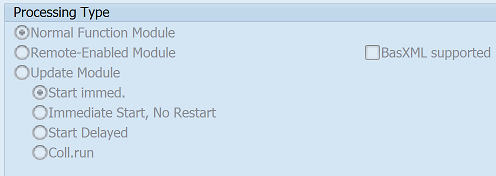
Pattern for FM DBALERT_CHANGE_BOOTSTRAP - DBALERT CHANGE BOOTSTRAP
CALL FUNCTION 'DBALERT_CHANGE_BOOTSTRAP' "Set the color of the collecting bootstrap nodes
  EXPORTING
    node_identifier =           " allazymt2-identifier  Identifier in table ALLAZYMT2
*   official_mt_full_name =     " c             Official full name of node
    new_colour =                " alsmsgrval-smsgvalue  Alert: alert value (1 = green, 2 = yellow, ....)
*   msgclass =                  " sy-msgid      Message Class  (grey text behind node)
*   msgid =                     " sy-msgno      Message Number (grey text behind node)
*   msgarg1 = ''                " c
*   argtype1 = 'C'              " sxmimsgraw-argtype1  Argument type of an XMI log entry
*   msgarg2 = ''                " c
*   argtype2 = 'C'              " sxmimsgraw-argtype2  Argument type of an XMI log entry
*   msgarg3 = ''                " c
*   argtype3 = 'C'              " sxmimsgraw-argtype3  Argument type of an XMI log entry
*   msgarg4 = ''                " c
*   argtype4 = 'C'              " sxmimsgraw-argtype4  Argument type of an XMI log entry
    mte_name =                  " almtcreate-name  Alert: Short Name of Monitoring Type
    reporter =                  " c             Calling program
*   mte_class =                 " almtcreate-cusgroupmt  Alert: Customization: Name of Customization Group
*   mte_seconds_til_collectingtool =   " almtcustwr-sectrgtool  Alert: Time values in seconds
*   smes_customizing_group =    " almtcreate-cusgroupot  Alert: Customization: Name of Customization Group
*   tool_collecting =           " altoolassg-toolname  Alert: Logical Name of Tool
*   tool_analyze =              " altoolassg-toolname  Alert: Logical Name of Tool
  EXCEPTIONS
    DELETE_FAILED = 1           "
    PROBLEM_GETTING_TID = 2     "               SALI_MT_GET_TID_BY_NAME failed.
    PROBLEM_REPORTING = 3       "               SALI_SMES_REPORT_T100_MESSAGE failed.
    CREATE_ATTACH_ERROR = 4     "
    .  "  DBALERT_CHANGE_BOOTSTRAP
ABAP code example for Function Module DBALERT_CHANGE_BOOTSTRAP
The ABAP code below is a full code listing to execute function module DBALERT_CHANGE_BOOTSTRAP including all data declarations. The code uses the latest in-line data DECLARATION SYNTAX but I have included an ABAP code snippet at the end to show how declarations would look using the original method of declaring data variables up front. This will allow you to compare and fully understand the new inline method. Please note some of the newer syntax such as the @DATA is not available until a later 4.70 service pack (SP8).
SELECT single IDENTIFIER
  FROM ALLAZYMT2
  INTO @DATA(ld_node_identifier).


DATA(ld_official_mt_full_name) = 'Check type of data required'.


DATA(ld_new_colour) = 123

DATA(ld_msgclass) = 'some text here'.

DATA(ld_msgid) = 'Check type of data required'.

DATA(ld_msgarg1) = 'some text here'.


DATA(ld_argtype1) = some text here

DATA(ld_msgarg2) = 'some text here'.


DATA(ld_argtype2) = some text here

DATA(ld_msgarg3) = 'some text here'.


DATA(ld_argtype3) = some text here

DATA(ld_msgarg4) = 'some text here'.


DATA(ld_argtype4) = some text here


DATA(ld_mte_name) = some text here

DATA(ld_reporter) = 'some text here'.


DATA(ld_mte_class) = some text here


DATA(ld_mte_seconds_til_collectingtool) = 123


DATA(ld_smes_customizing_group) = some text here


DATA(ld_tool_collecting) = some text here


DATA(ld_tool_analyze) = some text here
.

CALL FUNCTION 'DBALERT_CHANGE_BOOTSTRAP'
  EXPORTING
    node_identifier =            ld_node_identifier
*   official_mt_full_name =      ld_official_mt_full_name
    new_colour =                 ld_new_colour
*   msgclass =                   ld_msgclass
*   msgid =                      ld_msgid
*   msgarg1 =                    ld_msgarg1
*   argtype1 =                   ld_argtype1
*   msgarg2 =                    ld_msgarg2
*   argtype2 =                   ld_argtype2
*   msgarg3 =                    ld_msgarg3
*   argtype3 =                   ld_argtype3
*   msgarg4 =                    ld_msgarg4
*   argtype4 =                   ld_argtype4
    mte_name =                   ld_mte_name
    reporter =                   ld_reporter
*   mte_class =                  ld_mte_class
*   mte_seconds_til_collectingtool =    ld_mte_seconds_til_collectingtool
*   smes_customizing_group =     ld_smes_customizing_group
*   tool_collecting =            ld_tool_collecting
*   tool_analyze =               ld_tool_analyze
  EXCEPTIONS
    DELETE_FAILED =              1
    PROBLEM_GETTING_TID =        2
    PROBLEM_REPORTING =          3
    CREATE_ATTACH_ERROR =        4
    .  "  DBALERT_CHANGE_BOOTSTRAP

IF SY-SUBRC EQ 0.
  "All OK
ELSEIF SY-SUBRC EQ 1. "Exception
  "Add code for exception here
ELSEIF SY-SUBRC EQ 2. "Exception
  "Add code for exception here
ELSEIF SY-SUBRC EQ 3. "Exception
  "Add code for exception here
ELSEIF SY-SUBRC EQ 4. "Exception
  "Add code for exception here
ENDIF.
ABAP code to compare 7.40 inline data declaration with original syntax
The below ABAP code uses the older none in-line data declarations. This allows you to see the coding differences/benefits of the later inline syntax. It may also be useful if you are using an older version of SAP as some of the newer syntax above, such as the @DATA is not available until 4.70 EHP 8.
DATA:
| ld_node_identifier | TYPE ALLAZYMT2-IDENTIFIER , |
| ld_official_mt_full_name | TYPE C , |
| ld_new_colour | TYPE ALSMSGRVAL-SMSGVALUE , |
| ld_msgclass | TYPE SY-MSGID , |
| ld_msgid | TYPE SY-MSGNO , |
| ld_msgarg1 | TYPE C , |
| ld_argtype1 | TYPE SXMIMSGRAW-ARGTYPE1 , |
| ld_msgarg2 | TYPE C , |
| ld_argtype2 | TYPE SXMIMSGRAW-ARGTYPE2 , |
| ld_msgarg3 | TYPE C , |
| ld_argtype3 | TYPE SXMIMSGRAW-ARGTYPE3 , |
| ld_msgarg4 | TYPE C , |
| ld_argtype4 | TYPE SXMIMSGRAW-ARGTYPE4 , |
| ld_mte_name | TYPE ALMTCREATE-NAME , |
| ld_reporter | TYPE C , |
| ld_mte_class | TYPE ALMTCREATE-CUSGROUPMT , |
| ld_mte_seconds_til_collectingtool | TYPE ALMTCUSTWR-SECTRGTOOL , |
| ld_smes_customizing_group | TYPE ALMTCREATE-CUSGROUPOT , |
| ld_tool_collecting | TYPE ALTOOLASSG-TOOLNAME , |
| ld_tool_analyze | TYPE ALTOOLASSG-TOOLNAME . |
SELECT single IDENTIFIER
FROM ALLAZYMT2
INTO ld_node_identifier.
ld_official_mt_full_name = 'some text here'.
ld_new_colour = 123
ld_msgclass = 'some text here'.
ld_msgid = 'Check type of data required'.
ld_msgarg1 = 'some text here'.
ld_argtype1 = some text here
ld_msgarg2 = 'some text here'.
ld_argtype2 = some text here
ld_msgarg3 = 'some text here'.
ld_argtype3 = some text here
ld_msgarg4 = 'some text here'.
ld_argtype4 = some text here
ld_mte_name = some text here
ld_reporter = 'some text here'.
ld_mte_class = some text here
ld_mte_seconds_til_collectingtool = 123
ld_smes_customizing_group = some text here
ld_tool_collecting = some text here
ld_tool_analyze = some text here
Contribute (Add Comments)
Please help keep this info upto date and use the comments section below to add useful hints, tips and information specific to this SAP function. This will then be available for you and other users to easily find by simply searching on the object name DBALERT_CHANGE_BOOTSTRAP or its description.
DBALERT_CHANGE_BOOTSTRAP - Set the color of the collecting bootstrap nodes DB6_XPLN_SHOW_DWN - DB6: Call Download Screen DB6_XPLN_DOWNLOAD - DB6: Downloads DB6_WRITE_IN_MULTIPLE_LINES - DB6: Splits a Long Statement into Several Lines DB6_VIEW_FILE - DB6: Display Output of CLP Commands DB6_TSPACE_SNAPSHOT - DB6: Tablespace Snapsot (4.6C Interface)