WMPA_REORG SAP TCode - Reorganize Profile Assignments
Reorganize Markdown Profile Assignments in ERP System SAP screen
What is WMPA_REORG (Reorganize Profile Assignments) and how is it used? Within an SAP system there are numerous transaction codes (TCode) that each serve different purposes and provide easy access to a variety of different functionality. One such TCode is WMPA_REORG, which provides access to Reorganize Profile Assignments / Reorganize Markdown Profile Assignments in ERP System SAP screen functionality within R/3 SAP (Or S/4HANA) systems, depending on your version and release level.
Below for your convenience is a few details about this tcode including any standard documentation. In-order to use this transaction within your SAP system simply enter it into the command input box located in the top left hand corner of the SAP GUI, and press enter. You can also add additional command options such /o to trigger in new window..See full list of
command options available.
Fiori Application based on Tcode WMPA_REORG
Reorganize Profile Assignment - Markdown Plan WMPA_REORG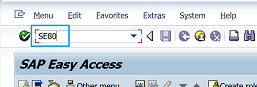
Program Name: RWRF_MPA_DELETE
Screen Number: 1000
WMPA_REORG Authorisation objects
In-order to be able to use a SAP transaction code you need to have the correct authorisations setup for your user ID. To check if you have the required level of authorisation to run this use tcode SU53 via a new session (i.e. /N). Simply execute WMPA_REORG and then execute /NSU53 immediately afterwards. A report of all authorisations checked will then be displayed...See check tcode authorisation for full details and screenshots of how to check what authorisations you are missing to use a tcode.SAP GUI Support for tcode WMPA_REORG
When a tcode is created you can select which SAP GUI it has support for from HTML, Java and the main Windows GUI you are probably most familiar with.


SAPGUI for HTML
WMPA_REORG does not support the HTML web based GUI. The SAP GUI for HTML generates HTML pages for each screen of the SAP transaction so that it can be executed within a standard web browser. Please note there are technical restrictions and possible incompatibility issues with certain browsers which means some transaction functionality may not function correctly.
SAPGUI for Java
WMPA_REORG does not support the Java based GUI. The SAP GUI for Java support provides more controls than the SAP GUI for HTML, but requires a plug-in to be downloaded and installed on the users PC so is less popular than the SAP GUI for HTML.
SAPGUI for windows
WMPA_REORG includes support for the Windows based GUI. Windows(WinGUI) support is the most popular option and transactions can be run under SAP GUI for Windows.
SAP Program associated with transaction WMPA_REORG
For further details and documentation see program RWRF_MPA_DELETESearch for further information about these or an SAP related objects