SAP ENQUEUE_E_KLEVDEF Function Module for Request lock for object E_KLEVDEF
ENQUEUE_E_KLEVDEF is a standard enqueue e klevdef SAP function module available within SAP R/3 or S/4 Hana systems, depending on your version and release level. It is used for Request lock for object E_KLEVDEF processing and below is the pattern details for this FM, showing its interface including any import and export parameters, exceptions etc. there is also a full "cut and paste" ABAP pattern code example, along with implementation ABAP coding, documentation and contribution comments specific to this or related objects.
See here to view full function module documentation and code listing for enqueue e klevdef FM, simply by entering the name ENQUEUE_E_KLEVDEF into the relevant SAP transaction such as SE37 or SE38.
Function Group: /1BCDWBEN/FEN0003
Program Name: /1BCDWBEN/SAPLFEN0003
Main Program:
Appliation area:
Release date: N/A
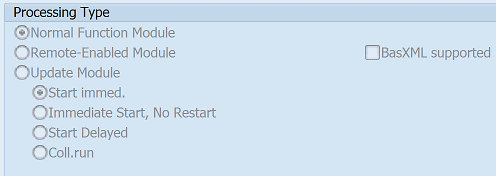
Mode(Normal, Remote etc): Normal Function Module
Update:
Function ENQUEUE_E_KLEVDEF pattern details
In-order to call this FM within your sap programs, simply using the below ABAP pattern details to trigger the function call...or see the full ABAP code listing at the end of this article. You can simply cut and paste this code into your ABAP progrom as it is, including variable declarations.CALL FUNCTION 'ENQUEUE_E_KLEVDEF'"Request lock for object E_KLEVDEF.
EXPORTING
* MODE_KLEVDEF = 'E' "Lock mode for table KLEVDEF
* _COLLECT = ' ' "Initially only collect lock
* MODE_KLEVDEFT = 'E' "Lock mode for table KLEVDEFT
* MANDT = SY-MANDT "01th enqueue argument
* ERMVERF = "02th enqueue argument
* SPRAS = "03th enqueue argument
* X_ERMVERF = ' ' "Fill argument 02 with initial value?
* X_SPRAS = ' ' "Fill argument 03 with initial value?
* _SCOPE = '2' "
* _WAIT = ' ' "
EXCEPTIONS
FOREIGN_LOCK = 1 SYSTEM_FAILURE = 2
IMPORTING Parameters details for ENQUEUE_E_KLEVDEF
MODE_KLEVDEF - Lock mode for table KLEVDEF
Data type: ENQMODEDefault: 'E'
Optional: Yes
Call by Reference: No ( called with pass by value option)
_COLLECT - Initially only collect lock
Data type: DDENQCOLLDefault: ' '
Optional: Yes
Call by Reference: No ( called with pass by value option)
MODE_KLEVDEFT - Lock mode for table KLEVDEFT
Data type: ENQMODEDefault: 'E'
Optional: Yes
Call by Reference: No ( called with pass by value option)
MANDT - 01th enqueue argument
Data type: KLEVDEF-MANDTDefault: SY-MANDT
Optional: Yes
Call by Reference: No ( called with pass by value option)
ERMVERF - 02th enqueue argument
Data type: KLEVDEF-ERMVERFOptional: Yes
Call by Reference: No ( called with pass by value option)
SPRAS - 03th enqueue argument
Data type: KLEVDEFT-SPRASOptional: Yes
Call by Reference: No ( called with pass by value option)
X_ERMVERF - Fill argument 02 with initial value?
Data type:Default: SPACE
Optional: Yes
Call by Reference: No ( called with pass by value option)
X_SPRAS - Fill argument 03 with initial value?
Data type:Default: SPACE
Optional: Yes
Call by Reference: No ( called with pass by value option)
_SCOPE -
Data type:Default: '2'
Optional: Yes
Call by Reference: No ( called with pass by value option)
_WAIT -
Data type:Default: SPACE
Optional: Yes
Call by Reference: No ( called with pass by value option)
EXCEPTIONS details
FOREIGN_LOCK - Object already locked
Data type:Optional: No
Call by Reference: No ( called with pass by value option)
SYSTEM_FAILURE - Internal error from enqueue server
Data type:Optional: No
Call by Reference: No ( called with pass by value option)
Copy and paste ABAP code example for ENQUEUE_E_KLEVDEF Function Module
The ABAP code below is a full code listing to execute function module POPUP_TO_CONFIRM including all data declarations. The code uses the original data declarations rather than the latest in-line data DECLARATION SYNTAX but I have included an ABAP code snippet at the end to show how declarations would look using the newer method of declaring data variables on the fly. This will allow you to compare and fully understand the new inline method. Please note some of the newer syntax such as the @DATA is not available until a later 4.70 service pack (SP8), which i why i have stuck to the origianl for this example.| DATA: | ||||
| lv_foreign_lock | TYPE STRING, " | |||
| lv_mode_klevdef | TYPE ENQMODE, " 'E' | |||
| lv__collect | TYPE DDENQCOLL, " ' ' | |||
| lv_mode_klevdeft | TYPE ENQMODE, " 'E' | |||
| lv_system_failure | TYPE ENQMODE, " | |||
| lv_mandt | TYPE KLEVDEF-MANDT, " SY-MANDT | |||
| lv_ermverf | TYPE KLEVDEF-ERMVERF, " | |||
| lv_spras | TYPE KLEVDEFT-SPRAS, " | |||
| lv_x_ermverf | TYPE KLEVDEFT, " SPACE | |||
| lv_x_spras | TYPE KLEVDEFT, " SPACE | |||
| lv__scope | TYPE KLEVDEFT, " '2' | |||
| lv__wait | TYPE KLEVDEFT. " SPACE |
| CALL FUNCTION 'ENQUEUE_E_KLEVDEF' "Request lock for object E_KLEVDEF |
| EXPORTING | ||
| MODE_KLEVDEF | = lv_mode_klevdef | |
| _COLLECT | = lv__collect | |
| MODE_KLEVDEFT | = lv_mode_klevdeft | |
| MANDT | = lv_mandt | |
| ERMVERF | = lv_ermverf | |
| SPRAS | = lv_spras | |
| X_ERMVERF | = lv_x_ermverf | |
| X_SPRAS | = lv_x_spras | |
| _SCOPE | = lv__scope | |
| _WAIT | = lv__wait | |
| EXCEPTIONS | ||
| FOREIGN_LOCK = 1 | ||
| SYSTEM_FAILURE = 2 | ||
| . " ENQUEUE_E_KLEVDEF | ||
ABAP code using 7.40 inline data declarations to call FM ENQUEUE_E_KLEVDEF
The below ABAP code uses the newer in-line data declarations. This allows you to see the coding differences/benefits of the later inline syntax. Please note some of the newer syntax below, such as the @DATA is not available until 4.70 EHP 8.| DATA(ld_mode_klevdef) | = 'E'. | |||
| DATA(ld__collect) | = ' '. | |||
| DATA(ld_mode_klevdeft) | = 'E'. | |||
| "SELECT single MANDT FROM KLEVDEF INTO @DATA(ld_mandt). | ||||
| DATA(ld_mandt) | = SY-MANDT. | |||
| "SELECT single ERMVERF FROM KLEVDEF INTO @DATA(ld_ermverf). | ||||
| "SELECT single SPRAS FROM KLEVDEFT INTO @DATA(ld_spras). | ||||
| DATA(ld_x_ermverf) | = ' '. | |||
| DATA(ld_x_spras) | = ' '. | |||
| DATA(ld__scope) | = '2'. | |||
| DATA(ld__wait) | = ' '. | |||
Search for further information about these or an SAP related objects