SAP GRPC_SCHEUDLE_COLUMN_SETUP Function Module for Scheduler Column Set Up
GRPC_SCHEUDLE_COLUMN_SETUP is a standard grpc scheudle column setup SAP function module available within SAP R/3 or S/4 Hana systems, depending on your version and release level. It is used for Scheduler Column Set Up processing and below is the pattern details for this FM, showing its interface including any import and export parameters, exceptions etc. there is also a full "cut and paste" ABAP pattern code example, along with implementation ABAP coding, documentation and contribution comments specific to this or related objects.
See here to view full function module documentation and code listing for grpc scheudle column setup FM, simply by entering the name GRPC_SCHEUDLE_COLUMN_SETUP into the relevant SAP transaction such as SE37 or SE38.
Function Group: GRPC_SCHEDULER
Program Name: SAPLGRPC_SCHEDULER
Main Program: SAPLGRPC_SCHEDULER
Appliation area:
Release date: N/A
Mode(Normal, Remote etc): Normal Function Module
Update:
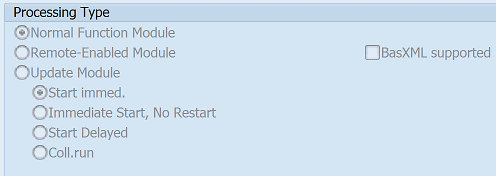
Function GRPC_SCHEUDLE_COLUMN_SETUP pattern details
In-order to call this FM within your sap programs, simply using the below ABAP pattern details to trigger the function call...or see the full ABAP code listing at the end of this article. You can simply cut and paste this code into your ABAP progrom as it is, including variable declarations.CALL FUNCTION 'GRPC_SCHEUDLE_COLUMN_SETUP'"Scheduler Column Set Up.
IMPORTING
ET_COLUMN_LIST = "Scheduler display
EXPORTING Parameters details for GRPC_SCHEUDLE_COLUMN_SETUP
ET_COLUMN_LIST - Scheduler display
Data type: GRPC_T_SCHEDULER_COLUMNOptional: No
Call by Reference: Yes
Copy and paste ABAP code example for GRPC_SCHEUDLE_COLUMN_SETUP Function Module
The ABAP code below is a full code listing to execute function module POPUP_TO_CONFIRM including all data declarations. The code uses the original data declarations rather than the latest in-line data DECLARATION SYNTAX but I have included an ABAP code snippet at the end to show how declarations would look using the newer method of declaring data variables on the fly. This will allow you to compare and fully understand the new inline method. Please note some of the newer syntax such as the @DATA is not available until a later 4.70 service pack (SP8), which i why i have stuck to the origianl for this example.| DATA: | ||||
| lv_et_column_list | TYPE GRPC_T_SCHEDULER_COLUMN. " |
| CALL FUNCTION 'GRPC_SCHEUDLE_COLUMN_SETUP' "Scheduler Column Set Up |
| IMPORTING | ||
| ET_COLUMN_LIST | = lv_et_column_list | |
| . " GRPC_SCHEUDLE_COLUMN_SETUP | ||
ABAP code using 7.40 inline data declarations to call FM GRPC_SCHEUDLE_COLUMN_SETUP
The below ABAP code uses the newer in-line data declarations. This allows you to see the coding differences/benefits of the later inline syntax. Please note some of the newer syntax below, such as the @DATA is not available until 4.70 EHP 8.Search for further information about these or an SAP related objects